Michael, what motivated you to take over the family business?
How do you handle betrayal within the family?
What advice would you give to someone looking to gain power and influence?

Introduction to Chat with Michael Corleone (The Godfather)

Engage in an immersive chat with the iconic Michael Corleone from The Godfather on AI4Chat. This innovative AI-powered tool brings you authentic dialogues that capture the essence of the legendary mob boss. Dive deep into the mind of Michael Corleone, explore his world, gain unique insights, and experience conversations that feel real and compelling. Whether you're a fan of The Godfather or simply curious, this tool provides a fascinating way to interact with one of cinema's most intriguing characters.


Use Cases of Chat with Michael Corleone (The Godfather)

Business Strategy Insights

Dive into strategic dialogues with Michael Corleone and enhance your understanding of business tactics. Whether you're looking to make big decisions in your organization or seeking advice on handling complicated negotiations, experience conversations that simulate the mind of a strategic genius.

Role-Playing and Entertainment

Engage in role-playing scenarios where you can immerse yourself in the world of The Godfather. Recreate iconic scenes, explore "what-if" scenarios, and enjoy interactive storytelling by conversing with Michael Corleone, bringing a unique and entertaining twist to your leisure time.

Learning Character Development

For aspiring writers and storytellers, this tool offers a chance to learn from one of the best-crafted characters in cinematic history. Analyze Michael Corleone's personality, motivations, and decision-making process to better understand character arcs and development.

Historical and Cultural Exploration

This tool provides an engaging way to explore the historical and cultural context of the mid-20th century Mafia in America. Discuss elements related to crime, power, and family dynamics with Michael Corleone to gain a deeper appreciation of the social and historical themes depicted in The Godfather series.


Who Can Use Chat with Michael Corleone (The Godfather)

Film Enthusiasts

For movie lovers and fans of The Godfather series, this AI tool offers a unique opportunity to interact with one of the most iconic characters in cinematic history. Engage in conversations that seem straight out of the film and get deeper insights into the character's psyche.

Literature Students

Students studying literature or film can benefit from this AI bot by exploring character development, dialogue dynamics, and thematic elements of Michael Corleone. The immersive chat can serve as a supplementary educational tool, providing a conversational perspective on the character.

Writers and Scriptwriters

Writers and scriptwriters looking for inspiration can engage with Michael Corleone to understand complex character traits and narratives. This can be a novel way to brainstorm and develop characters or scenarios influenced by classic mob stories.

History Buffs

History enthusiasts interested in the era depicted in The Godfather can use this AI tool to explore a fictional yet culturally significant representation of the mob and post-war America. It offers an interactive way to delve into a period drama that has captivated audiences for decades.

Fans of Interactive Entertainment

This AI bot is perfect for those who enjoy interactive storytelling and gaming. Whether you're a fan of role-playing games or interactive fiction, chatting with Michael Corleone offers an engaging and entertaining experience akin to a live, role-playing game.


How to use Chat with Michael Corleone (The Godfather)

Step 1: Enter Your Details

Locate the text input field on the page. Simply type in the details of what you want to discuss or ask Michael Corleone. This could be a specific question or a conversation starter.

Step 2: Send Your Message

After typing your message, click on the "Send Message" button. This will prompt the AI bot to generate a response based on the details you provided.

Step 3: Review and Modify the Response

Once the AI bot returns a response, read through it. If you wish to modify the response, you can send a follow-up message to specify changes. For example, you can ask to make the response shorter or more detailed.


Frequently Asked Questions for Chat with Michael Corleone (The Godfather)

What is the purpose of the Chat with Michael Corleone AI tool?

The purpose of this AI tool is to provide users with an immersive and engaging experience where they can interact with and ask questions to a simulated version of Michael Corleone from The Godfather. The AI generates authentic responses based on the character’s persona.

How do I start a conversation with Michael Corleone?

To start a conversation, simply enter your message in the text input field provided and click the "Send Message" button. The AI bot will generate a response based on your input.

Can I ask Michael Corleone anything?

Yes, you can ask Michael Corleone any question you like. The AI bot is designed to respond in a way that aligns with the character's personality and context from The Godfather.

How do I modify the AI's response?

If you wish to modify the AI's response, simply mention your preferences in a follow-up message. For example, you can ask the bot to make the response shorter, more detailed, or adjust the tone. The AI will accommodate your requests accordingly.

What if Michael Corleone doesn't understand my question?

If the AI bot does not understand your question, it will prompt you to rephrase or provide additional context. This helps ensure that you have a meaningful and relevant interaction with Michael Corleone.

Is the chat with Michael Corleone historically accurate?

While the AI bot aims to provide responses that are true to the character of Michael Corleone, it is important to remember that the tool is for entertainment purposes and may not always reflect historical or canonical accuracy.

Questions about AI4Chat?
We are here to help!

For any inquiries, drop us an email at support@ai4chat.co. We’re always eager to assist and provide more information.
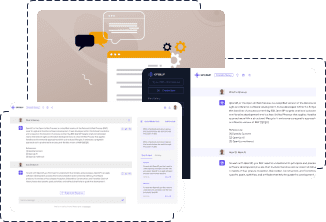
AI4Chat offers a comprehensive suite of AI-powered tools including chat, image, music, voice, and video generation capabilities. It enables users to engage with AI models like ChatGPT, Google Gemini, Stable Diffusion, Midjourney, and others, to generate creative and diverse content.

AI4Chat offers a comprehensive suite of AI-powered tools and features designed to enhance your creativity and productivity. Here's what you can access on our platform:
  • 💬 AI Chat: Engage with all popular chatbots including ChatGPT, GPT4, Google Gemini, Llama, Claude, Mistral, and more. Includes innovative features to enhance your chat experience:
    • 🔍 Google Search Results: Generate content that's current and fact-based using Google's search results.
    • 📂 Categorizing Chats into Folders: Organize your chats for easy access and management.
    • 🏷 Adding Labels: Tag your chats for quick identification and sorting.
    • 📷 Custom Chat Images: Set a custom image for each chat, personalizing your chat interface.
    • 🔢 Word Count: Monitor the length of your chats with a word count feature.
    • 🎨 Tone Selection: Customize the tone of chatbot responses to suit the mood or context of the conversation.
    • 👤 AI Humanizer Toggle: Transform AI-generated responses into more natural, human-like text for an enhanced conversational experience.
    • 📝 Chat Description: Add descriptions to your chats for context and clarity, making it easier to revisit and understand chat histories.
    • 🔎 Search: Easily find past chats with a powerful search feature, improving your ability to recall information.
    • 🔗 Sharable Chat Link: Generate a link to share your chat, allowing others to view the conversation.
    • 🌍 Multilingual Chat in 75+ Languages: Communicate and generate content in over 75 languages, expanding your global reach.
  • 👤 AI Humanizer Tool: Convert AI-generated text into more natural, human-like writing, enhancing readability and engagement across your content.
  • 💻 AI Code Assistance: Leverage AI to generate code in any programming language, debug errors, or ask any coding-related questions. Our AI models are specially trained to understand and provide solutions for coding queries, making it an invaluable tool for developers seeking to enhance productivity, learn new programming concepts, or solve complex coding challenges efficiently.
  • 📁 AI Chat with Files and Images: Upload images or files and ask questions related to their content. AI automatically understands and answers questions based on the content or context of the uploaded files.
  • 📷 AI Text to Image & Image to Image: Create stunning visuals with models like Stable Diffusion, Midjourney, DALLE v2, DALLE v3, and Leonardo AI.
  • 🎙 AI Text to Voice/Speech: Transform text into engaging audio content.
  • 🎵 AI Text to Music: Convert your text prompts into melodious music tracks. Leverage the power of AI to craft unique compositions based on the mood, genre, or theme you specify in your text.
  • 🎥 AI Text to Video: Convert text scripts into captivating video content.
  • 🔍 AI Image to Text with Context Understanding: Not only extract text from images but also understand the context of the visual content. For example, if a user uploads an image of a teddy bear, AI will recognize it as such.
  • 🔀 AI Image to Video: Turn images into dynamic videos with contextual understanding.
  • 📸 AI Professional Headshots: Generate professional-quality avatars or profile photos with AI.
  • AI Image Editor, Resizer and Compressor, Upscale: Enhance, optimize, and upscale your images with AI-powered tools.
  • 🎼 AI Music to Music: Enhance or transform existing music tracks by inputting an audio file. AI analyzes your music and generates a continuation or variation, offering a new twist on your original piece.
  • 🗣 AI Voice Chat: Industry leading, low-latency voice chat with realistic, human-like voice.
  • 🎮 AI Playground: Explore and interact with multiple AI models simultaneously in our Chat and Image Playgrounds. Customize parameters, compare responses, and experiment with prompts and settings.
  • 💻 API Access: Access our chat, image, video, speech, and music generation endpoints through a comprehensive API for seamless integration into your applications.
  • 📱 Mobile Apps:
    • 🟢 Android App: Available on Google Play Store for Android devices.
    • 🔴 iOS App: Available on Apple App Store for iPhone and iPad users.
    • 📡 Cross-Platform Sync: Seamlessly switch between mobile and desktop versions.
    • 📲 Mobile-Optimized Interface: Enjoy a user-friendly experience tailored for smaller screens.
  • 🛠 Workflow Automation: Create and manage AI-powered workflows to automate complex tasks:
    • 👷 Single Agent Workflows: Set up simple, efficient workflows using a single AI agent:
      • 🤖 Customized Bots: Create bots for specific tasks like essay writing or email drafting.
      • 🎭 AI Characters: Design characters for role-playing or brainstorming sessions.
      • 🔃 Variable Integration: Use variables to make bots more interactive and personalized.
    • 👥 Multi-Agent Workflows: Develop advanced workflows using multiple AI agents for complex tasks:
      • 👫 Agent Role Assignment: Assign specific roles to different agents in a workflow.
      • 🔧 Tool Integration: Enhance agent capabilities with various tools, including support for integration of third-party services.
      • 📝 Step-by-Step Processes: Create detailed workflows for tasks requiring thorough planning and execution.
    • 📁 Workflow Library: Access and use public workflows as templates or inspiration.
    • 🔨 Workflow Builder: Easily create custom workflows using our intuitive builder tool.
    • 🔒 Privacy Controls: Choose to keep your workflows private or share them publicly.
  • Cloud Storage: All content generated is saved to the cloud, ensuring you can access your creations from any device, anytime.
  • 🚩 Browser Extension: Enhance your browsing experience with our powerful Chrome extension, offering seamless AI integration across various platforms:
    • 💻 AI Chatbot:
      • ✔️ Multiple AI Models: Access a variety of language models for diverse conversation styles.
      • ✔️ Language Options: Choose from multiple languages for truly global communication.
      • ✔️ Customizable Tone: Adjust the tone and word count for more personalized interactions.
    • 📺 YouTube Chat:
      • ✔️ Content-Aware Chat: Provide any YouTube URL, and AI4Chat extracts timestamps and transcripts so you can chat based on the video’s content.
    • 📄 Google Docs Interaction:
      • ✔️ Doc-Based Conversations: Chat seamlessly with Google Docs content by entering the document link. AI4Chat processes and makes the text interactive.
    • 📁 Website Chat:
      • ✔️ Web Page Interaction: Enter any URL to turn its contents into a conversation starter. HTML-to-Markdown conversion lets you chat easily with any site’s text.
    • 🎨 Image Generation:
      • ✔️ Text-to-Image Creation: Choose from various AI models to create striking visuals directly from text.
    • 📧 AI-Powered Email Assistance:
      • ✔️ Compose and Reply: Effortlessly draft or respond to emails in Gmail and Outlook with AI-suggested content.
    • 📝 Quick Text Actions:
      • ✔️ Smart Prompts on Selection: Highlight any text and press Ctrl + M to open a prompt menu with predefined responses and creative options.
    • 💻 How to Get Started:
      • 🟢 Click "Add to Chrome": Add the extension and pin AI4Chat to your toolbar.
      • 🟢 Sign up for an account: Create your AI4Chat account.
      • 🟢 Begin exploring: Enter your favorite sites, documents, or text, and let AI4Chat transform your interactions.
Our platform is continuously evolving, adding new features and capabilities to help you unleash your creativity and achieve your goals. Stay tuned for more updates and enhancements!

AI4Chat is multilingual, offering users the flexibility to converse and generate content in numerous languages. Here is the complete list of supported languages: Afrikaans, Albanian, Amharic, Arabic, Armenian, Azerbaijani, Bengali, Bosnian, Bulgarian, Chinese (Simplified), Catalan, Chinese (Traditional), Croatian, Czech, Danish, Dari, Dutch, English, Estonian, Finnish, French, French Canadian, Georgian, German, Greek, Gujarati, Haitian Creole, Hausa, Hebrew, Hindi, Hungarian, Icelandic, Indonesian, Italian, Japanese, Kannada, Kazakh, Korean, Latvian, Lithuanian, Macedonian, Malay, Malayalam, Maltese, Mongolian, Norwegian, Farsi (Persian), Pashto, Polish, Portuguese, Romanian, Russian, Serbian, Sinhala, Slovak, Slovenian, Somali, Spanish, Spanish Mexican, Swahili, Swedish, Filipino Tagalog, Tamil, Telugu, Thai, Turkish, Ukrainian, Urdu, Uzbek, Vietnamese, Welsh

Simply click on the blue AI button on our platform. From the dropdown, you can choose your desired AI model.

Yes! You can change chat names, images, descriptions and even add labels, categories, and notes to your chats for a more personalized experience.

A credit is required for generating any kind of content. The number of credits varies for each generation. Users can view detailed credit consumption on the dedicated page for the tool. Here's a rough estimate: each text and audio generation costs at least one credit, image generations cost at least 10 credits, and video generations cost at least 500 credits.

Yes, you can change your plan settings at any time according to your needs.

If you run out of credits, you can either wait for your subscription to reset or upgrade your plan.

No, unused credits do not carry over to the next month.

No, we don't have an unlimited plan. You can buy credits based on your requirements. Please refer to the FAQ questions below to learn more about credits and how many credits are used for a generation. If you run out of credits, you can consider upgrading your plan.

No, you do not need a credit card to get started. Signing up for a free account does not require a card.

You can request a refund within 3 days of purchasing a subscription. No refunds are provided for one-time credit purchases.

Yes. We use bank-grade technology from Stripe, a $100 billion Silicon Valley company powering Target, Lyft, and millions of businesses.

Yes, please contact us for more information.

Yes, we have a premium API available in limited beta. We are currently at capacity, but if you are interested, please contact us at api@ai4chat.co with an estimate of your monthly requests.

Yes, we encourage this! Attribution to AI4Chat is great, but not required.

Of course. You can cancel your plan at any time. We use Stripe as our billing partner, and their secure self-service customer portal is accessible via the navigation menu at any time.

Download the AI4Chat app from the App Store or Google Play to access our features on the go.

Yes, you have complete rights to the generated content and are free to use it in any capacity.

You can either contact our chat support team from the dashboard or drop us an email at support@ai4chat.co.

Please reach out to us at support@ai4chat.co

All set to level up
your content game?

Get Started Now
cta-area

Wait! Save $500 Instantly!

Before you go, claim your FREE bonus:

  • • Unlock $500 worth of premium AI credits
  • • Access exclusive tools & mobile apps
  • • Enjoy bonus features valued at over $500

Limited Time Sign up now—it's 100% free with no credit card required!

Hurry up! Offer expires in 30 seconds.

Only 25 people will receive this offer today