Start your prompt with "Generate anime-style images" followed by the details of what you want to create. Here is example of a good image prompt:
Check out the inspiration ideas below to get started!
Turn your text into visually stunning, AI-generated images with ease. Describe your vision, and our advanced AI model brings it to life. Explore endless possibilities by generating unique images directly from your words!
Login to AI4Chat and transform your text descriptions into captivating AI-generated images. Explore creativity with our advanced text-to-image tool today!
Get Started For Free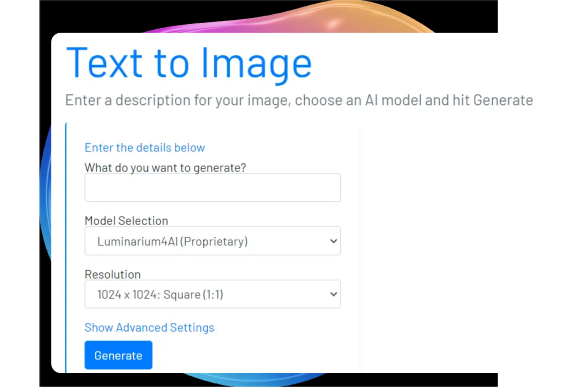
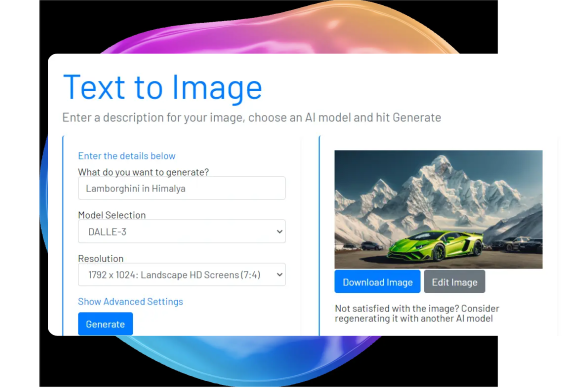
Once your image is generated, download it or use the available editing tools to make adjustments. If the image doesn’t meet your expectations, you can regenerate it for a new version.
Get Started For FreeYou can also manage your history of generated images and review the prompts used to create them. Keep track of your creative process and revisit past designs with ease.
Get Started For Free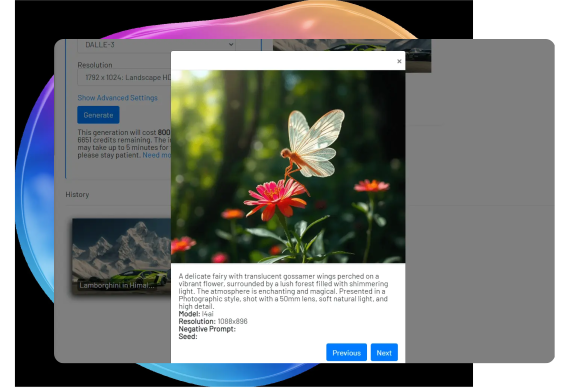
The Flex AI Image Generator on AI4Chat is a cutting-edge tool designed for creating stunning anime-style images with ease. Leveraging advanced AI algorithms, it allows users to generate high-quality, eye-catching anime illustrations from simple prompts. Whether you're looking to create characters, backgrounds, or entire scenes, this tool opens the doors to endless creative possibilities.
- AI-Powered Customization: Use our intuitive interface to customize characters and scenes with various stylistic options.
- High-Res Outputs: Generate images in high-resolution formats, perfect for digital art projects or prints.
- Fast Processing: Experience quick and efficient rendering of images without compromising quality.
- Style Variations: Choose from a range of anime styles, from classic to contemporary.
1. Visit the Flex AI Image Generator page on AI4Chat.
2. Enter a text prompt describing the anime-style image you want to create.
3. Customize your character or scene using the available tools and options.
4. Preview the image and make adjustments as needed.
5. Download your final creation in the desired format.
- Be Specific: The more detailed your initial prompt, the better the AI can match your vision.
- Experiment: Try different styles and settings to see what works best for your project.
- Refine Iteratively: Use the preview function to make continuous adjustments for optimal results.
- Stay Inspired: Visit our community galleries for inspiration and share your own creations to get feedback.
For any inquiries, drop us an email at support@ai4chat.co. We’re always eager to assist and provide more information.
All in One AI platform for AI chat, image, video, music, and voice generatation. Create custom AI bots and workflows in minutes from any device, anywhere.
AI4Chat © 2024. All Rights Reserved.
Before you go, claim your FREE bonus:
Limited Time Sign up now—it's 100% free with no credit card required!
Hurry up! Offer expires in 30 seconds.
Only 25 people will receive this offer today