Start your prompt with "Generate avatar" followed by the details of what you want to create. Here is example of a good image prompt:
Check out the inspiration ideas below to get started!
Turn your text into visually stunning, AI-generated images with ease. Describe your vision, and our advanced AI model brings it to life. Explore endless possibilities by generating unique images directly from your words!
Login to AI4Chat and transform your text descriptions into captivating AI-generated images. Explore creativity with our advanced text-to-image tool today!
Get Started For Free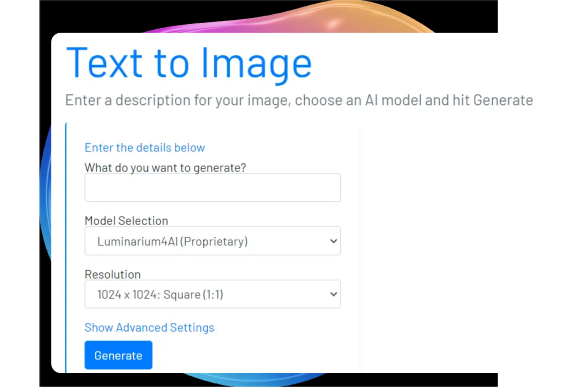
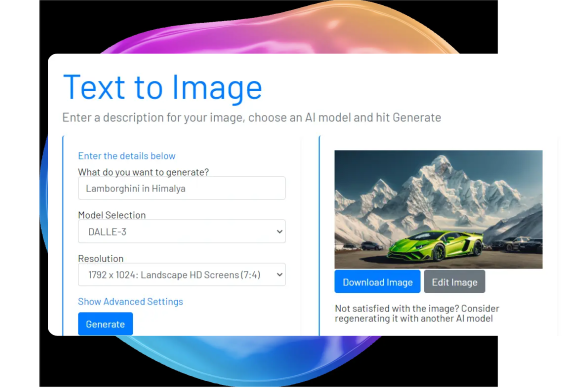
Once your image is generated, download it or use the available editing tools to make adjustments. If the image doesn’t meet your expectations, you can regenerate it for a new version.
Get Started For FreeYou can also manage your history of generated images and review the prompts used to create them. Keep track of your creative process and revisit past designs with ease.
Get Started For Free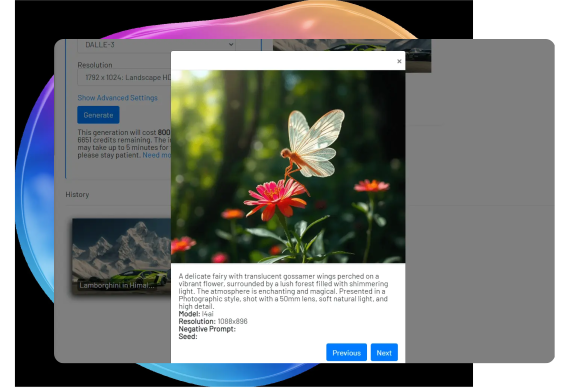
The Roblox AI Image Generator on AI4Chat is a powerful tool designed to help users create unique avatars for the Roblox platform. Utilizing advanced AI algorithms, it allows for a high level of customization, ensuring that each avatar stands out with distinct personality and style. Whether you're a novice or an experienced user, the tool tailors to your creativity, making avatar creation a seamless experience.
The tool offers a variety of features to enhance the avatar creation process, including a wide range of customizable templates, real-time previews, and an intuitive interface that supports intricate design adjustments. Users can select from different styles, accessories, and expressions, all while ensuring their creations align with Roblox guidelines.
To use the Roblox AI Image Generator, start by selecting a base template that meets your initial vision. Next, customize features like hair, clothing, and facial expressions using the adjustable sliders and options. The intuitive interface guides you step-by-step. Once satisfied, generate the final image and upload it to Roblox or save it for future use.
For optimal results, start with a clear concept in mind and explore the available templates to find one that closely matches your vision. Utilize the real-time preview feature to visualize changes instantly, allowing for fine-tuning throughout the design process. Keep up with Roblox's avatar guidelines to ensure your creations are compliant and can be easily incorporated into the platform.
For any inquiries, drop us an email at support@ai4chat.co. We’re always eager to assist and provide more information.
All in One AI platform for AI chat, image, video, music, and voice generatation. Create custom AI bots and workflows in minutes from any device, anywhere.
AI4Chat © 2024. All Rights Reserved.
Before you go, claim your FREE bonus:
Limited Time Sign up now—it's 100% free with no credit card required!
Hurry up! Offer expires in 30 seconds.
Only 25 people will receive this offer today